

Lead Capture Forms and Surveys for Valuable Insights
Circle's lead capture forms and survey builder help you gather valuable feedback and insights from your audience.
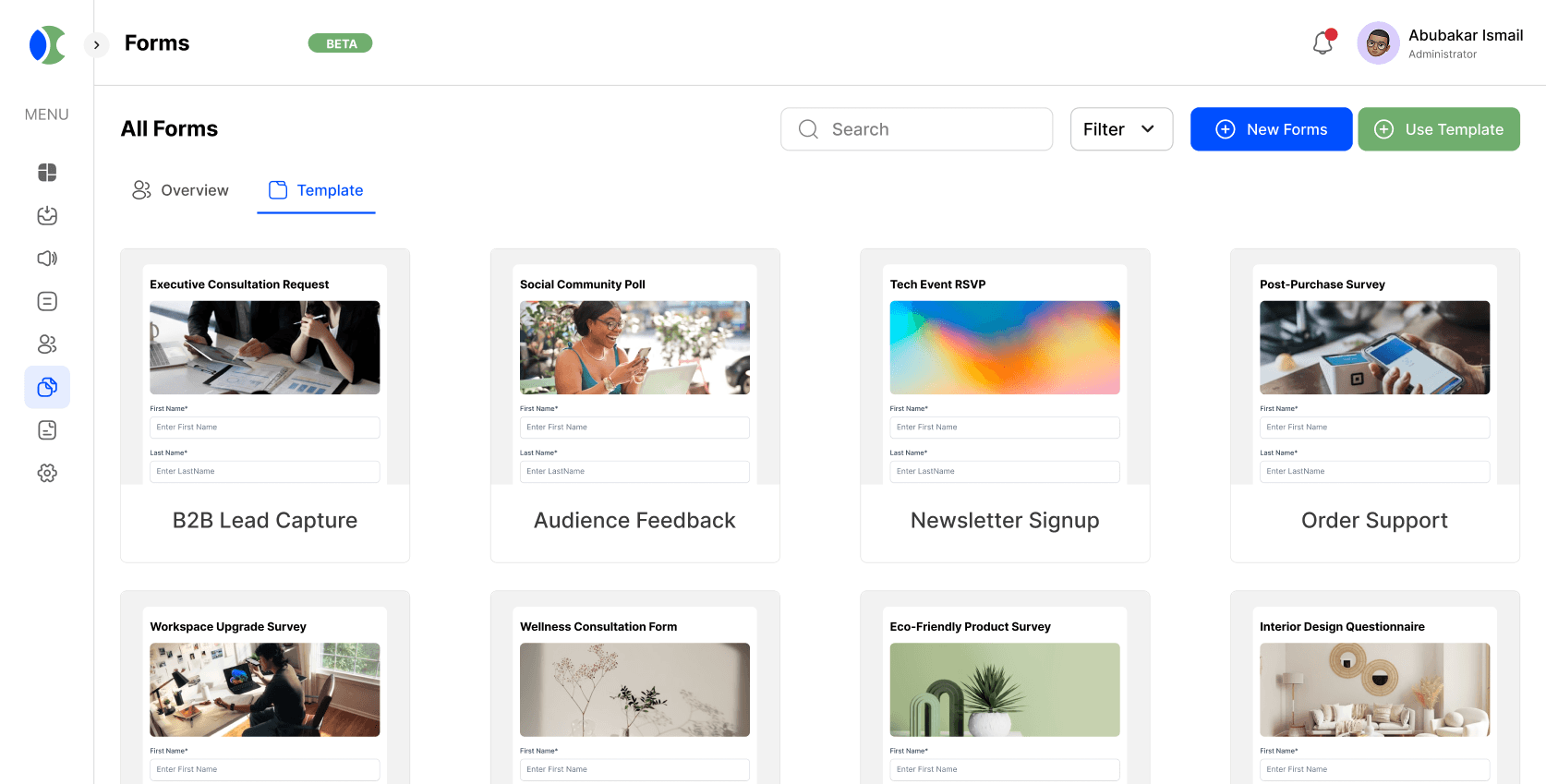
From a blank page to a synced lead in under a minute.
A form is only useful if what people submit actually goes somewhere. Circle builds the form, tracks where each visitor came from, and pushes every response straight into your CRM, so a signup on your site becomes a contact you can email that same day, not a spreadsheet someone has to import later.
Customizable Surveys
Start from a blank canvas or one of 50-plus templates covering the surveys teams actually run: customer satisfaction, event feedback, product research. Mix question types, multiple choice, rating scales, open text, in a single survey, and reorder or hide questions based on how someone answered the one before it.
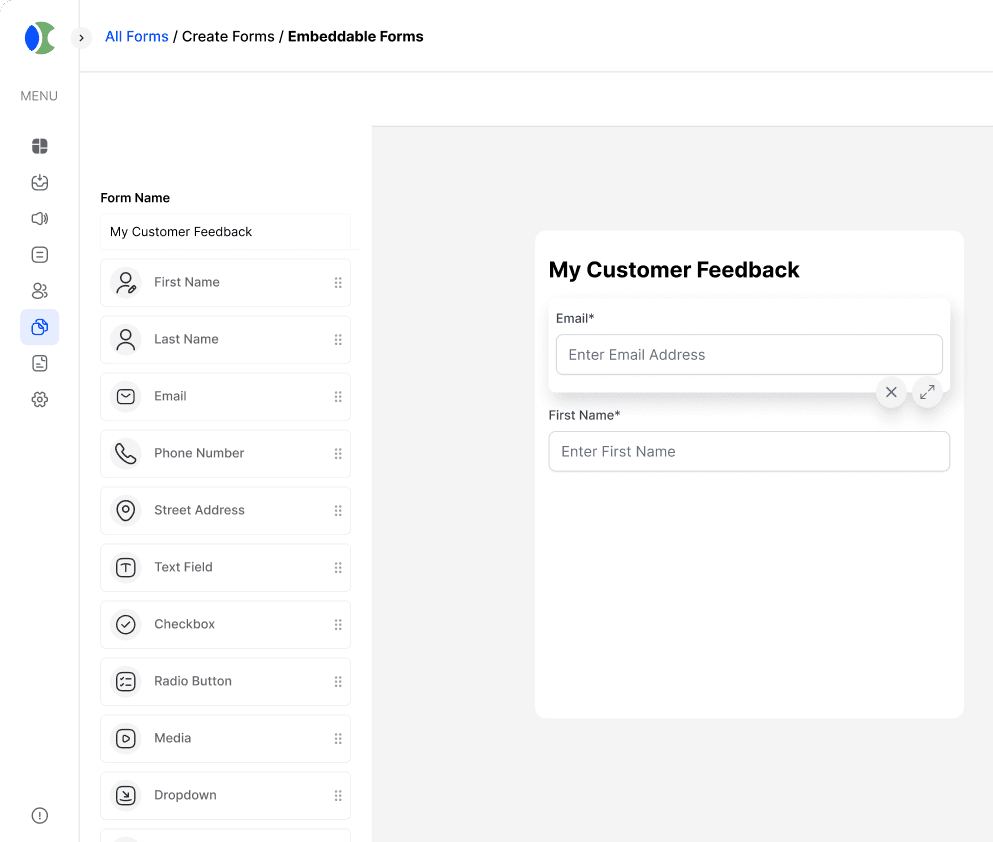
Lead Capture Forms
Set the fields you need, name, email, phone, company size, anything relevant to how you qualify a lead, and embed the form on a landing page or pop it up as a modal. Every submission lands in your CRM instantly, tagged with the form it came from, so your sales team knows the context before they make the first call.
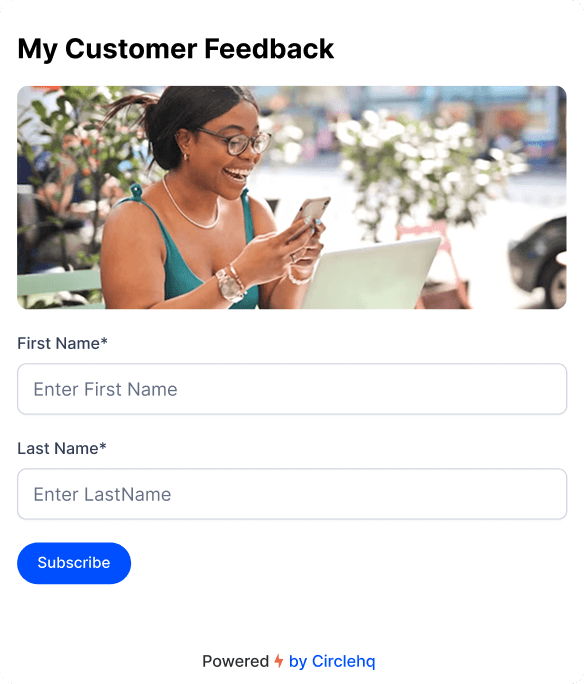
Embeddable UTM Tracking
Every submission carries the UTM parameters from the link someone clicked to get there, so you can see whether a lead came from a specific ad, an email campaign, or an organic search result. That context follows the contact into your CRM, which makes it possible to trace a closed deal back to the channel that actually drove it.
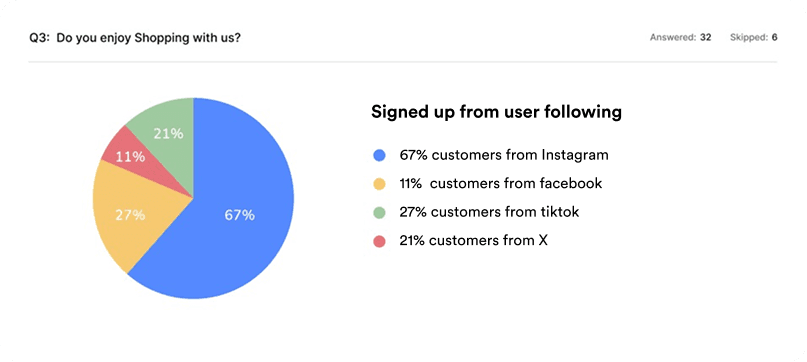
Forms Distribution
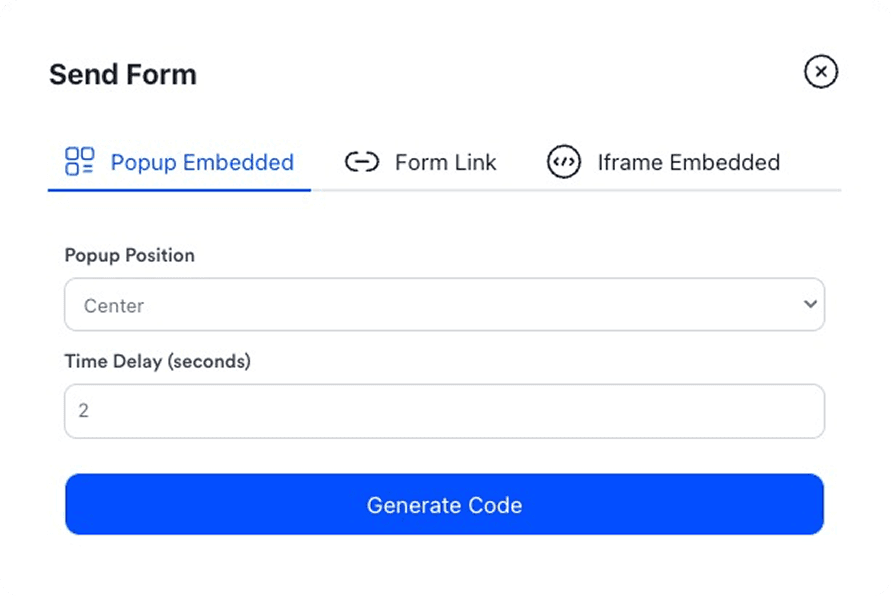
Share a form as a direct link, embed it in a page, or drop it into an email or social post, whichever fits where your audience already is. A single form can run across all of these at once, and every response rolls up into the same dashboard regardless of where it came from.
Powerful Analytics
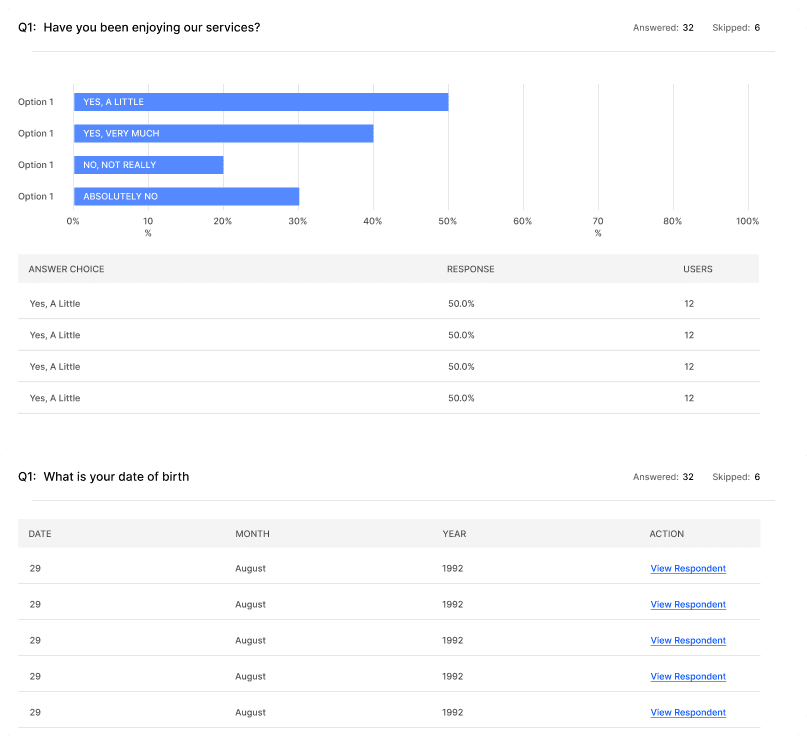
See response rates, completion rates, and drop-off by question, so you know exactly where people abandon a form instead of just seeing a low submission count. Break results down by segment or source to spot patterns a raw spreadsheet would bury.
Everything a form needs to actually convert, built in.
Flexible Question Types
Choose from a variety of question types including multiple-choice, open-ended, rating scales, and more to tailor your surveys to specific objectives and capture diverse feedback from your audience.
Branding Options
Customize the look and feel of your surveys to align with your brand identity and maintain a consistent brand experience for your respondents. Add your logo, choose colors, and apply branding elements to create a cohesive survey experience.
Real-Time Analytics
Gain instant access to real-time analytics and actionable insights, allowing you to track survey responses and identify trends quickly.
Easy Distribution
Distribute your surveys seamlessly across multiple channels, including email, social media, and embedded links. Reach your target audience wherever they are and maximize response rates with convenient distribution options.